


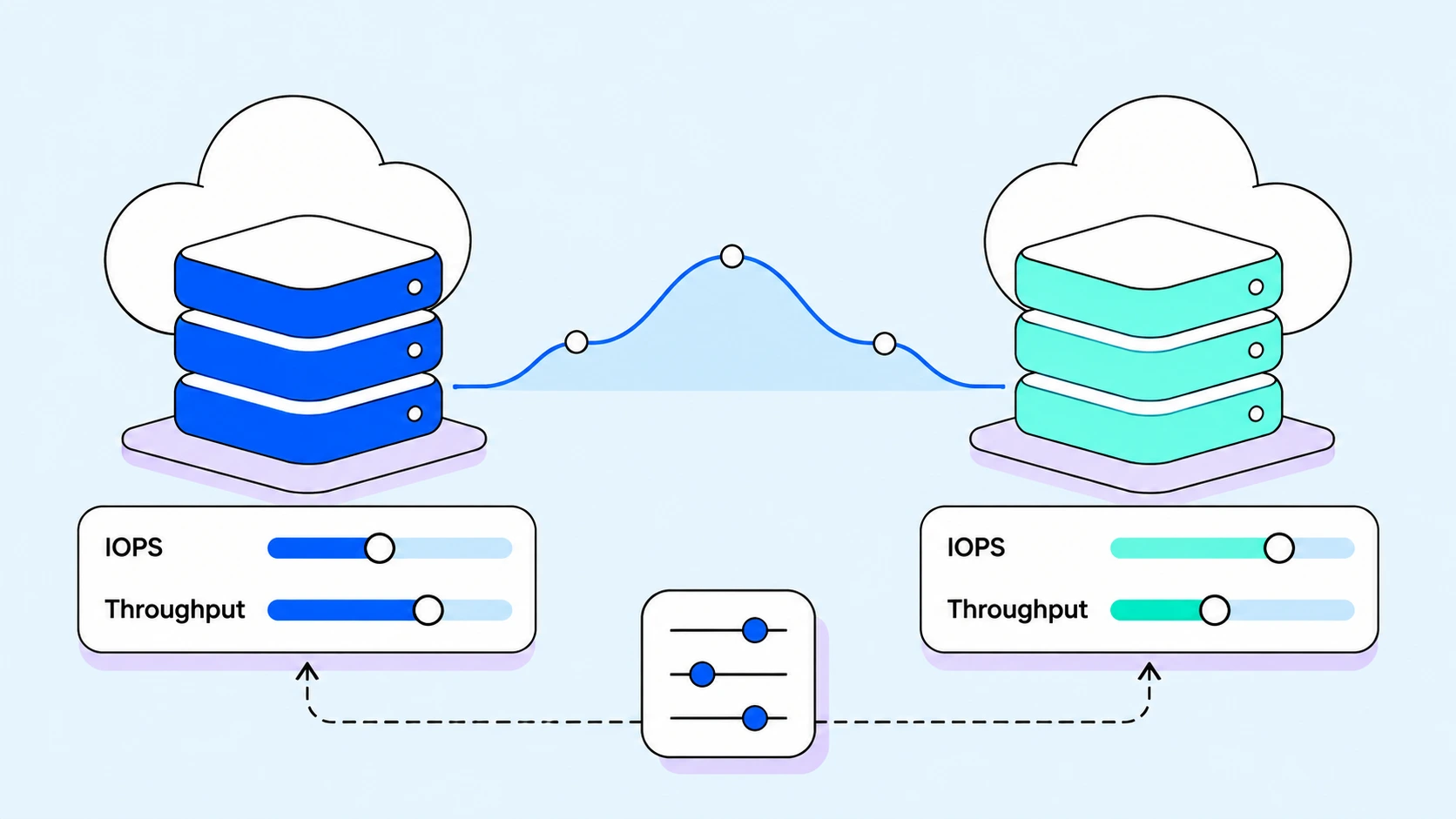
EBS gp3 and GKE Hyperdisk tuning means matching provisioned IOPS and throughput to measured workload demand, within disk and instance limits. Start with application latency and cloud metrics, identify the constrained resource, then test a controlled performance change. Capacity, IOPS, and throughput are separate decisions: a full filesystem needs a different fix from a throttled disk.
EBS gp3 lets you configure capacity and performance separately, subject to size-to-performance constraints. Its included baseline is 3,000 IOPS and 125 MiB/s. Provisioning above that baseline adds performance charges; leaving the included baseline unused does not create a separately removable IOPS charge. For incident diagnosis, see disk full versus an IOPS bottleneck.
Key Takeaways
- Separate capacity from performance. Extra IOPS does not free disk space; capacity growth is not a general performance fix.
- Measure before changing settings. Correlate application latency, operation rates, throughput, and provider limit signals.
- Account for the host. Disk provisioning cannot overcome an instance-wide storage limit.
- Respect modification rules. Plan a validated change and allow it to complete before the next.
- Test automation in dry-run. Review scope, ownership, limits, and workload peaks before enabling changes.
What gp3 changed: performance decoupled from size
EBS gp3 provides separate capacity, IOPS, and throughput settings, but allowed combinations still depend on volume size and provider limits. A 500 GiB volume can have 3,000 or 20,000 IOPS without changing its capacity charge; the extra IOPS are billed separately. Provisioned throughput above the included baseline also adds cost.
Regional gp3 limits reach 80,000 IOPS and 2,000 MiB/s. The 500 IOPS-per-GiB constraint means 80,000 IOPS requires at least 160 GiB; the throughput-to-IOPS constraint means 2,000 MiB/s requires at least 8,000 IOPS. Outposts has different limits. Check the current gp3 specifications and the attached instance before choosing settings.
| Property | gp2 | gp3 |
|---|---|---|
| Baseline IOPS | 3 per GiB, minimum 100, maximum 16,000 at 5,334 GiB | 3,000, independent of size |
| Burst behavior | Credit-based burst for volumes below 1,000 GiB; depends on available credits | None. Sustains provisioned IOPS indefinitely |
| Baseline throughput | 128 to 250 MiB/s, scales with size | 125 MiB/s, independent of size |
| Maximum IOPS | 16,000 | 80,000 |
| Maximum throughput | 250 MiB/s | 2,000 MiB/s |
| Illustrative capacity rate; check region | $0.10 per GB-month | $0.08 per GB-month |
| Raising steady-state IOPS | Buy more GiB | Provision more IOPS |
A 1 TiB gp2 volume baselines at 3,072 IOPS. Doubling that means buying another terabyte, needed or not. Capacity is the only dial, so a disk fast enough for a database runs far larger than the data.
gp3 has no burst-credit balance. On gp2, correlate a falling BurstBalance with demand and baseline performance before diagnosing credit exhaustion. A drop after a fixed number of minutes is not proof. For gp3, inspect provisioned limits and supported exceeded-check metrics.
Compare total storage and performance charges at the settings your application needs. A lower capacity price does not guarantee a lower total bill after adding provisioned IOPS and throughput. Use regional rates and the time spent at each setting.
How do I know what my workload actually needs?
Provisioned IOPS is a configured limit; completed operations show delivered activity and can understate unmet demand during throttling. Correlate operation rates with application latency, queue depth, request size, and provider limit signals before raising or lowering a setting.
| Signal | Interpretation | Check before acting |
|---|---|---|
| Operation rate | Use VolumeAvgIOPS where available, or (read operations + write operations) ÷ period seconds. | Delivered IOPS may be capped by a bottleneck. |
| Throughput | Use VolumeAvgThroughput or transferred bytes ÷ time; retain consistent units. | Large requests may reach throughput limits before IOPS limits. |
| Queue depth and latency | Compare with application latency and a healthy baseline. | Neither queue length nor idle time alone proves excess capacity or throttling. |
| Volume exceeded checks | Supported Nitro metrics distinguish an IOPS or throughput limit. | Verify metric availability and attachment configuration. |
| Instance exceeded checks | A shared instance limit can constrain several volumes. | Raising volume performance will not remove the host limit. |
| Google Cloud disk metrics | Review read/write operations, bytes, latency, and machine-type limits. | Use the metrics supported for the exact Hyperdisk type. |
Metric names and availability matter. VolumeThroughputPercentage and VolumeConsumedReadWriteOps apply to Provisioned IOPS SSD volumes, not gp3; BurstBalance does not apply to gp3. Confirm definitions and supported statistics in the AWS EBS metric reference.
Throttling versus headroom, in one rule
Treat metrics as evidence to combine, not as a mechanical sizing rule. On supported Nitro configurations, check VolumeIOPSExceededCheck and VolumeThroughputExceededCheck, then the instance-level exceeded checks. A host-wide limit can constrain several otherwise healthy volumes.
- Possible volume constraint: demand reaches the configured limit, queueing or latency increases, and supported exceeded checks corroborate it. Test a higher setting.
- Possible excess provisioning: representative peaks remain below the paid-for setting with acceptable latency. Test a reduction while preserving peak headroom.
- Another constraint: investigate application concurrency, instance limits, or storage health when the signals do not support a volume limit.
On GCP, insufficient I/O concurrency can prevent a workload from reaching provisioned performance. Low delivered IOPS can also reflect low demand or another bottleneck. Compare application behavior with disk and machine-type limits rather than inferring the cause from one graph.
Measure a representative business cycle, including backups, batch runs, and peak traffic. A daily average can hide a short period that determines the required performance. Review finer-grained peaks and latency before lowering a setting; historical demand does not guarantee that the next peak will match it.
Tuning gp3, step by step
The examples below illustrate AWS CLI commands for a gp3 volume. Replace the volume ID, region, and time range with your own, and verify permissions and the current configuration. The examples have not been executed against your cluster. Review changes on a representative non-production volume first.
# Current provisioned settings and volume state
aws ec2 describe-volumes \
 --volume-ids vol-0a1b2c3d4e5f67890 \
 --query 'Volumes[0].{Type:VolumeType,Size:Size,IOPS:Iops,Throughput:Throughput}'

# Demand over the last 24 hours, one-hour periods.
# Average IOPS = VolumeReadOps + VolumeWriteOps divided by 3600.
aws cloudwatch get-metric-statistics \
 --namespace AWS/EBS \
 --metric-name VolumeReadOps \
 --dimensions Name=VolumeId,Value=vol-0a1b2c3d4e5f67890 \
 --start-time 2026-11-12T00:00:00Z \
 --end-time 2026-11-13T00:00:00Z \
 --period 3600 \
 --statistics Sum

# Repeat with --metric-name VolumeWriteOps and add the two sums.

# Is it a ceiling or a choice? Queue depth first, then idle time.
aws cloudwatch get-metric-statistics \
 --namespace AWS/EBS \
 --metric-name VolumeQueueLength \
 --dimensions Name=VolumeId,Value=vol-0a1b2c3d4e5f67890 \
 --start-time 2026-11-12T00:00:00Z \
 --end-time 2026-11-13T00:00:00Z \
 --period 300 \
 --statistics Maximum

aws cloudwatch get-metric-statistics \
 --namespace AWS/EBS \
 --metric-name VolumeIdleTime \
 --dimensions Name=VolumeId,Value=vol-0a1b2c3d4e5f67890 \
 --start-time 2026-11-12T00:00:00Z \
 --end-time 2026-11-13T00:00:00Z \
 --period 300 \
 --statistics Sum
Apply the new setting in one modification. If both signals are constrained, raise IOPS and throughput together, since two calls spend two of the four changes.
# 500 GiB gp3 from baseline to 8,000 IOPS and 500 MiB/s
aws ec2 modify-volume \
 --volume-id vol-0a1b2c3d4e5f67890 \
 --volume-type gp3 \
 --iops 8000 \
 --throughput 500

# Follow the modification until State reads completed
aws ec2 describe-volumes-modifications \
 --volume-ids vol-0a1b2c3d4e5f67890 \
 --query 'VolumesModifications[*].{State:ModificationState,Progress:Progress,Original:OriginalIops,Target:TargetIops}'
Track modifying, optimizing, completed, and failed states. An accepted CLI request does not prove completion or application recovery. Inspect operation status and errors, and verify latency and throughput after the change.
Capacity increases can also require filesystem expansion; the performance-only example above does not increase capacity. Performance can transition while a modification is optimizing. Wait for completion before making another modification, and compare application measurements after the new configuration has stabilized.
Alarm on queue depth, and know your way back
Alert on application latency and supported volume or instance exceeded-check metrics. Queue depth is supporting context, with a workload-specific baseline; it is not a universal throttling threshold. Test alarm behavior against representative traffic and missing-data cases before paging the on-call team.
Provisioned gp3 IOPS and throughput can be reduced again within supported ranges, but another change must respect the modification budget and operation status. Capacity cannot be reduced in place. Record the previous performance settings and an escalation path before a change; do not promise an immediate rollback.
What the change costs, at realistic sizes
The following is an illustrative full-month calculation, using assumed rates of $0.08 per provisioned GB-month, $0.005 per additional IOPS-month, and $0.04 per additional throughput unit-month above the gp3 baseline. These are calculation inputs, not a verified quote for your region. Substitute current rates from AWS EBS pricing; actual charges depend on duration and regional pricing.
Using a 500-unit provisioned volume in this example, baseline storage is 500 × $0.08 = $40.00/month. At 8,000 IOPS and 500 MiB/s, additional IOPS cost (8,000 − 3,000) × $0.005 = $25.00, and additional throughput costs (500 − 125) × $0.04 = $15.00. Total: $80.00/month. Do not convert a 500 GiB EBS volume into 512 billed units.
io2 has a different capacity price and tiered provisioned-IOPS pricing. Compare its reliability and latency characteristics as well as its total cost; it is not a gp3 configuration with a different label. Storage charges are separate from EC2 compute charges.
With the same assumed rates, a 1,024-unit volume at 16,000 IOPS and 500 MiB/s costs $81.92 + $65.00 + $15.00 = $161.92/month. At 4,000 IOPS and 250 MiB/s, it costs $81.92 + $5.00 + $5.00 = $91.92/month. The $70.00 difference is illustrative; validate workload performance before reducing either setting.
Where the change budget bites
The AWS ModifyVolume reference allows up to four modifications per volume in a rolling 24-hour period, with each previous modification completed before another begins. A policy cooldown cannot override that rule. If a request is blocked, inspect the returned error and next permitted change time.
That budget shapes the tuning. A volume needing more IOPS and throughput should get both in one call.
At cluster scale the arithmetic turns against manual tuning. Demand drifts, so human tuning either ignores the allowance or spends it on whichever volume paged last.
Setting it at the StorageClass layer
On EKS, the EBS CSI driver exposes these values as StorageClass parameters, covering volumes your StatefulSets create. New volumes arrive at the performance they need.
apiVersion: storage.k8s.io/v1
kind: StorageClass
metadata:
 name: gp3-high-iops
provisioner: ebs.csi.aws.com
parameters:
 type: gp3
 iops: "8000"
 throughput: "500"
volumeBindingMode: WaitForFirstConsumer
allowVolumeExpansion: true
Set iops or iopsPerGB according to the driver configuration you use. Review allowAutoIOPSPerGBIncrease and other adjustment settings rather than assuming an invalid request is silently capped. Validate the provisioned result against the EBS CSI parameter reference.
StorageClass parameters govern provisioning; editing a class does not retrofit existing claims. For an existing volume, use a supported cloud modification workflow or CSI VolumeAttributesClass support where available. Agree which controller owns the settings so automation does not fight a manual change.
Tuning GKE Hyperdisk, step by step
GKE Hyperdisk follows the same model with different numbers. Hyperdisk Balanced is the general-purpose type, at up to 160,000 IOPS and 2,400 MiB/s per volume, with sizes from 4 GiB to 64 TiB.
For Hyperdisk Balanced volumes of at least 6 GiB, the maximum configurable IOPS is MIN(500 × size in GiB, 160,000). The 4 GiB and 5 GiB sizes have fixed lower IOPS limits. For example, 50 GiB permits up to 25,000 IOPS. Consult the Hyperdisk Balanced specifications for size-dependent ranges.
Throughput is constrained by IOPS. Its floor is MAX(140, IOPS divided by 256) MiB/s and its ceiling is MIN(2,400, IOPS divided by 4). Take 8,000 IOPS as a worked pair. The floor is MAX(140, 31.25), or 140 MiB/s. A ceiling of MIN(2,400, 2,000) gives 2,000 MiB/s. So 8,000 IOPS allows 140 to 2,000 MiB/s. Full 2,400 MiB/s needs 9,600 IOPS, since 9,600 divided by 4 is 2,400. Below that threshold, throughput binds before IOPS does.
GKE provisions Hyperdisk through the Compute Engine PD CSI driver. Minimum GKE versions and supported machine types differ by disk type. Check the GKE Hyperdisk guide before applying this StorageClass example.
apiVersion: storage.k8s.io/v1
kind: StorageClass
metadata:
 name: balanced-storage
provisioner: pd.csi.storage.gke.io
parameters:
 type: hyperdisk-balanced
 provisioned-throughput-on-create: "250Mi"
 provisioned-iops-on-create: "7000"
volumeBindingMode: WaitForFirstConsumer
allowVolumeExpansion: true
In this StorageClass example, throughput uses the Mi suffix and IOPS uses an integer string. Hyperdisk Balanced has separate size-based defaults for each dimension; omitting throughput does not use the IOPS formula. Small volumes also have special limits. Confirm the actual disk settings after provisioning.
Change an existing Hyperdisk with gcloud rather than the StorageClass, then correlate the logged change against observed performance.
# Read the current provisioned performance
gcloud compute disks describe my-data-disk \
 --zone us-central1-a \
 --format='value(provisionedIops,provisionedThroughput)'

# Raise IOPS on a live disk
gcloud compute disks update my-data-disk \
 --zone us-central1-a \
 --provisioned-iops 12000
For most Hyperdisk types, provisioned IOPS or throughput changes are limited to once every four hours; Hyperdisk ML throughput has a six-hour interval. Capacity has separate rules. Hyperdisk Balanced IOPS and throughput have separate cooldown periods. Consult Google’s modification rules for the exact type and operation. Machine-type performance limits still apply.
Reads and writes share the provisioned Hyperdisk IOPS and throughput budgets. A 50,000-IOPS combined limit does not imply that mixed workloads always achieve only half the total; the read/write mix divides the available budget. Check both disk and aggregate VM constraints.
Why this becomes a loop: demand moves, settings don’t
So far this is a task you run by hand, once. The loop appears because a provisioned value is decided at one moment, and workloads move past it. A batch job ships and the nightly peak doubles. Months later a migration removes the traffic behind 16,000 IOPS.
Creation-time settings do not automatically follow demand. Each later change needs a justified target, an owner, and a check against the provider’s current modification rules. Coordinate capacity and performance changes so neither consumes a needed modification opportunity unexpectedly.
Autoscaling answers that gap, and three properties make it safe. Reading demand beats reading capacity. Budgets must be respected, not discovered through a failed call. And changes must stay reviewable, since a controller that double-provisions a database’s IOPS at 2am is a bigger problem than the waste.
How Cast AI Storage Autoscaling does it
Cast AI Storage Autoscaler is generally available and supports policy-driven performance tuning on eligible EKS and GKE disks. gp3 and Hyperdisk Balanced allow both IOPS and throughput configuration; io1, io2, and Hyperdisk Extreme focus on provisioned IOPS, while Hyperdisk Throughput exposes throughput. Verify the supported disk and dimension in the support documentation.
Mechanically, it checks periodically whether provisioned values match observed demand. A sustained gap moves the setting toward the observed peak plus a buffer. Defaults are concrete: the maximum observed value, p50/p95/p99.9 available, plus 20% overhead over a 6-hour lookback. A 30-minute warmup and 15-minute per-dimension cooldown sit on top of the cloud’s limits.
Separate controller decisions from dashboard visibility: Kvisor supports storage metrics in the dashboard, while the autoscaling components evaluate policies and supported provider operations. Follow the documented workflow rather than treating a dashboard metric as proof that a policy will act.
Start with a narrowly scoped policy in dry-run mode and inspect recommendations across representative traffic. Verify spec.dryRun on every matching policy before enabling changes. A default at installation does not prove that all existing policies remain in dry-run.
Measure performance cost using your cloud billing data, including provisioned IOPS and throughput. A capacity-only view cannot establish total performance savings. Use the configuration reference for settings and our Kubernetes storage autoscaling guide for volume selection, growth caps, controller ownership, and rollout validation.
Put the tuning loop into practice
Measure demand, identify the constrained dimension, test a supported change, and confirm the application outcome. To explore Cast AI, start a free trial in read-only mode. Enabling storage changes is a separate step with its own permissions and policy review.
Frequently asked questions
What are the default IOPS and throughput for gp3?
The included gp3 baseline is 3,000 IOPS and 125 MiB/s. Additional provisioned IOPS and throughput have separate charges. Regional and Outposts limits differ, and the volume size and attached instance can constrain usable performance.
How do I know whether an EBS volume is throttling?
Correlate application latency and queue depth with operation rates and supported volume exceeded-check metrics. Check the instance-level EBS limits too. High queue depth or low idle time alone is not proof of a volume performance limit.
Is gp3 always cheaper than gp2?
No. Compare capacity charges plus any paid gp3 IOPS and throughput at the settings the workload needs. A lower per-unit capacity price does not guarantee a lower total bill. Use current regional rates and the expected duration at each setting.
Can I change Hyperdisk IOPS and throughput independently?
That depends on the disk type. Hyperdisk Balanced exposes both settings, Hyperdisk Extreme exposes provisioned IOPS, and Hyperdisk Throughput exposes provisioned throughput. Allowed values depend on disk size and other constraints, and machine-type limits still apply.
Can storage performance tuning be automated safely?
Automation needs measured demand, scoped policies, workload headroom, provider-limit checks, and validation. Start in dry-run and review proposed actions before enabling changes. A provider modification budget is a constraint, not a guarantee of application safety.


