
Less guessing. Less babysitting your cluster
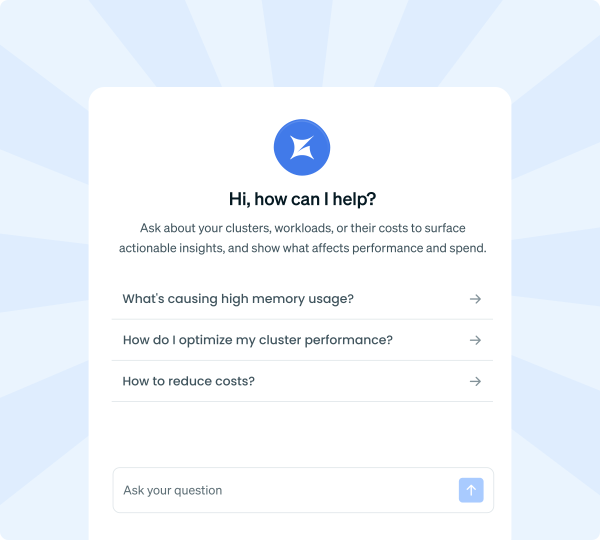
OpsPilot gives Kubernetes teams back the hours lost to chasing root causes across dashboards and hand-tuning scaling configs afterward, so problems get resolved faster and your cluster stays optimized with less manual YAML tuning.
Trusted by 2100+ companies globally



Problem
Kubernetes ops shouldn’t mean five tabs and a guess
Dashboards show data, not root cause
You still have to know which dashboard, which filter, and how to read it before you know what broke.
Recommendations aren’t fixes
Rightsizing tools tell you what to change and leave the YAML to you.
Context lives in five different places
Cost data, cluster events, and audit logs each sit in their own tool, and nobody has time to cross-reference them on top of everything else.
OpsPilot closes all three gaps. Ask it anything and get one answer instead of five tabs, and when the fix is a scaling policy, OpsPilot generates and applies that for you instead of leaving you to build it yourself.
Key features
Ask questions.
Or automate fixes.
Live cluster intelligence
Query pods, nodes, deployments, and events in plain English and get answers straight from live cluster state, not a cached snapshot.
- Covers pod, node, and workload state across your whole fleet
- Surfaces OOM kills, restarts, and scheduling failures, no manual `kubectl` queries required
- Pulled from a fresh cluster snapshot every 15 seconds
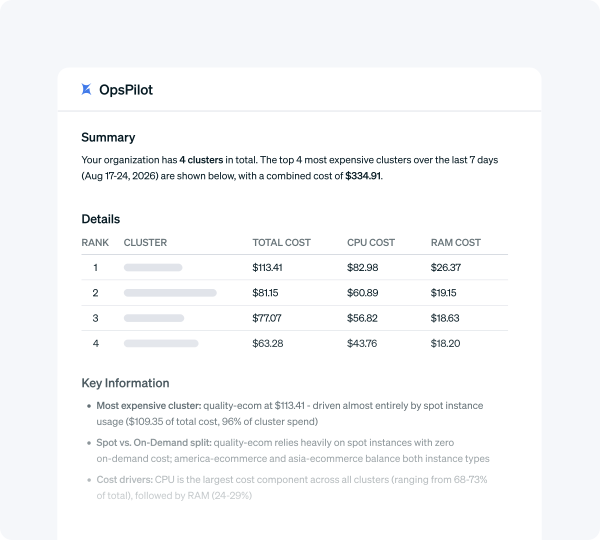
Cost and savings, explained in seconds
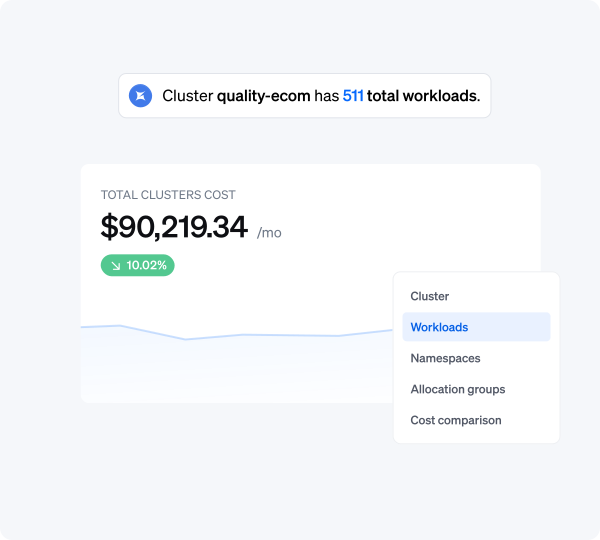
Get a cost breakdown by namespace, cluster, or workload back as a formatted answer with trend charts, ready in seconds.
- Cost data refreshes every 5 minutes, so answers reflect what’s happening now
- Drill deeper with a follow-up question instead of rebuilding the query from scratch
Scaling policies, generated and applied
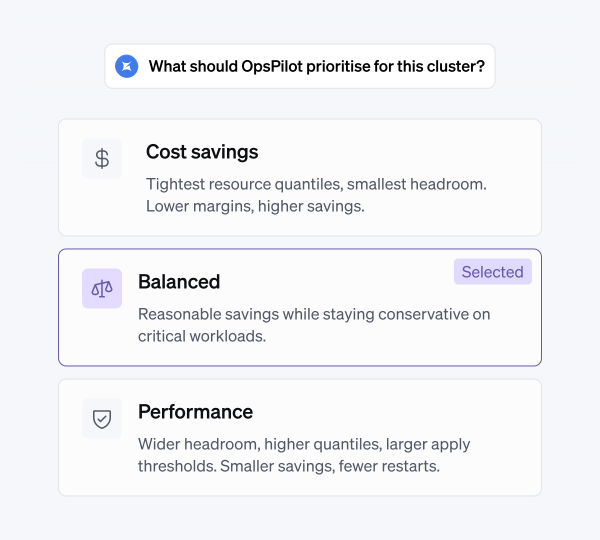
Answer a few quick questions about your priorities and OpsPilot analyzes your cluster’s real workload behavior to generate CPU and memory scaling policies built for what it actually finds, not a generic template.
- Groups workloads by risk profile, so a stateful database and a stateless API in the same namespace get different treatment
- Every policy comes with a rationale you review before it’s applied, comes out named the way you’d name it yourself, and needs little to no manual tuning afterward
- Apply policies in disabled mode first to see exactly what would change with nothing touching a live workload, then turn automation on once you’re confident
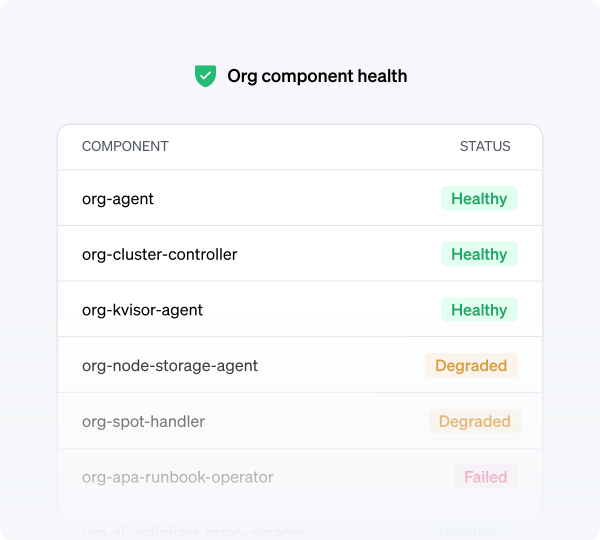
Cluster health, in plain language
Ask why a health score dropped and get back the failing checks, not a score with no explanation.
- Points to the specific workloads and configurations behind a low score
- Tracks score changes over time so you can confirm a fix actually worked
- Recommendations are grounded in Kubernetes best practices and tuned to your cluster’s real usage, not a generic checklist
Documentation, answered on the spot
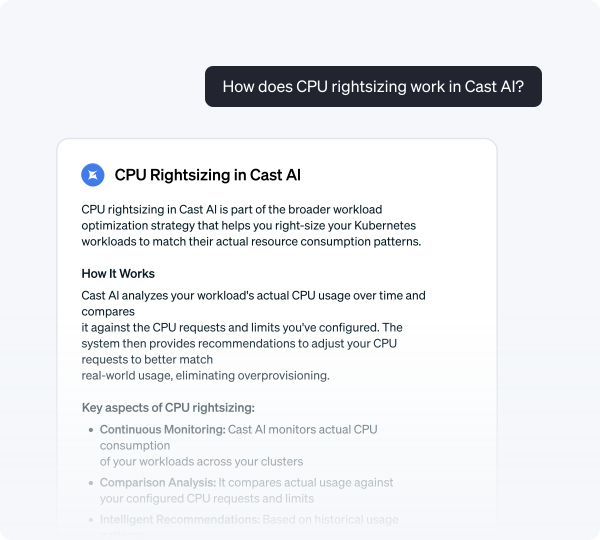
Ask how a feature works and get a targeted answer with a source link, instead of searching docs.cast.ai yourself.
- Every documentation answer cites where it came from
- Confidence level shown so you know how far to trust the answer
Multi-agent routing
OpsPilot decides which system to query and can combine cluster data, cost data, and documentation into one answer.
Context-aware questions
OpsPilot knows which cluster or page you’re on, so “why is this slow” resolves without naming the cluster.
Follow-up conversations
Ask a follow-up without repeating context. OpsPilot remembers what you were just looking at.
Source citations
Every documentation answer links back to the exact page it came from.
Re-runnable policy generation
Deployed new services or connected a new cluster? Re-run the policy flow from the Workload Autoscaler page any time. More usage history means sharper recommendations.
Enterprise-grade data isolation
Every query is scoped to your organization at the database level. Your data is never used to train models.
Setup
Already running.
Ask, or generate the fix.
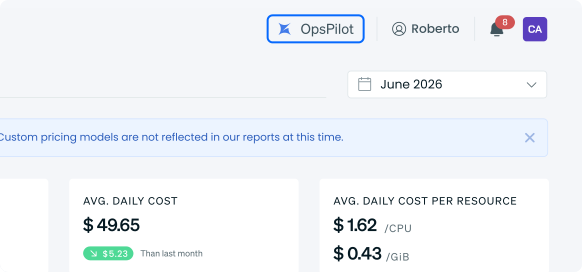
Open the console. OpsPilot lives in the header on every page and signs you in automatically.
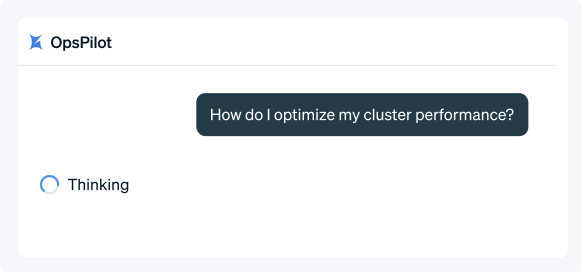
Ask, or launch the policy flow. Ask a question in chat for cluster state, cost, health, or documentation answers. Or start OpsPilot’s policy flow from the Workload Autoscaler page to generate scaling policies.
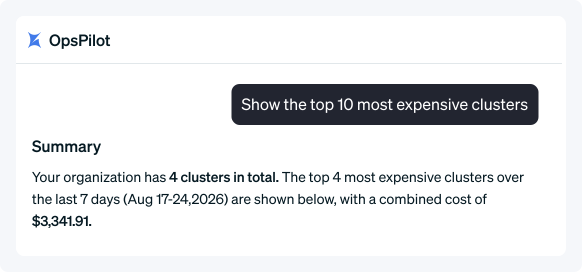
Get an answer, or a policy ready to apply. Chat answers directly from live cluster data. The policy flow returns generated policies with a rationale, ready for you to review and apply.
Case study
Akamai achieves 40-70% cloud savings, boosts engineer productivity
“I had an aha moment – an iPhone moment – with Cast. Literally two minutes into the integration, we saw the cost analytics, and I had an insight into something I had never had before and had tried to get for a very long time.”

Dekel Shavit
Sr. Director of Engineering
Case study
Yotpo automates Spot Instances, cuts 40% in cloud costs and saves time
“And with Cast AI, we didn’t do anything. Like, we didn’t do the move before, we didn’t do the move after. So there was a lot of human resources and time saved here. That was a very good experience. And again, from a cost perspective, it was highly optimized.”

Achi Solomon
Director of DevOps
Case study
Bede Gaming automatically optimizes K8s workloads with no risk to performance
“In my mind, it’s one less thing to worry about, and therefore teams can be focused on other things of potentially higher value. So having [Cast AI] just run in the background with a good level of confidence that we’re running as efficiently as we can, balancing the service that we’re providing – that’s great.”

Dan Whiteley
Chief Technology Officer
Learn more
Additional resources

Blog
Meet OpsPilot: Your AI SRE Agent Built Into Cast AI
Stop switching between kubectl, cost dashboards, and event logs. Ask OpsPilot and get the answer…
Docs
OpsPilot
An AI-powered assistant that answers operational questions about your Kubernetes clusters, costs, and database optimization in plain English.

Blog
OpsPilot Now Writes Your Workload Scaling Policies. You Just Set the Intent.
OpsPilot, Cast AI’s AI agent for DevOps and SREs, can now automatically generate workload scaling…
FAQ
Your questions, answered
OpsPilot is an AI agent built into the Cast AI console. In chat, it answers questions about your Kubernetes clusters in plain English using live cluster data. From the Workload Autoscaler page, it also analyzes your workloads and generates the scaling policies to act on what it finds.
No. OpsPilot is available to every Cast AI customer directly in the console, with no separate setup.
Questions about live cluster state (pods, nodes, events), cost and savings, and Cast AI documentation. It combines more than one of these in a single answer when needed, and it can explain the reasoning behind any scaling policy it generates.
Yes. From the Workload Autoscaler page, OpsPilot analyzes your workloads and generates CPU and memory scaling policies, including percentiles, constraints, and assignment rules, built for what it finds in your cluster. You review the rationale before anything is applied, and you can apply policies in disabled mode first to see the effect before anything changes on a live workload. Every policy stays editable afterward.
Yes. Every query is isolated to your organization at the database level, and your data is never used to train models.
Generic AI doesn’t know your cluster names, current pod state, or your actual costs. OpsPilot queries your live data directly, not a training snapshot, and acts on it by generating real scaling policies.
Can’t find what you’re looking for?

4.8/5 50+ reviews